

Overview
Sections are made up of paragraphs. Paragraphs are the actual content you’ll activate as part of your specification. Paragraphs can be one-word, multiple words, or multiple lines. Every paragraph has an associated sequence number.
You may want to review the Activating Sections article before activating paragraphs.
Activating Paragraphs
To activate a paragraph within an activated section, click the paragraph's sequence number. The sequence number is the 4 digit number in the "#" column located next to the paragraph.
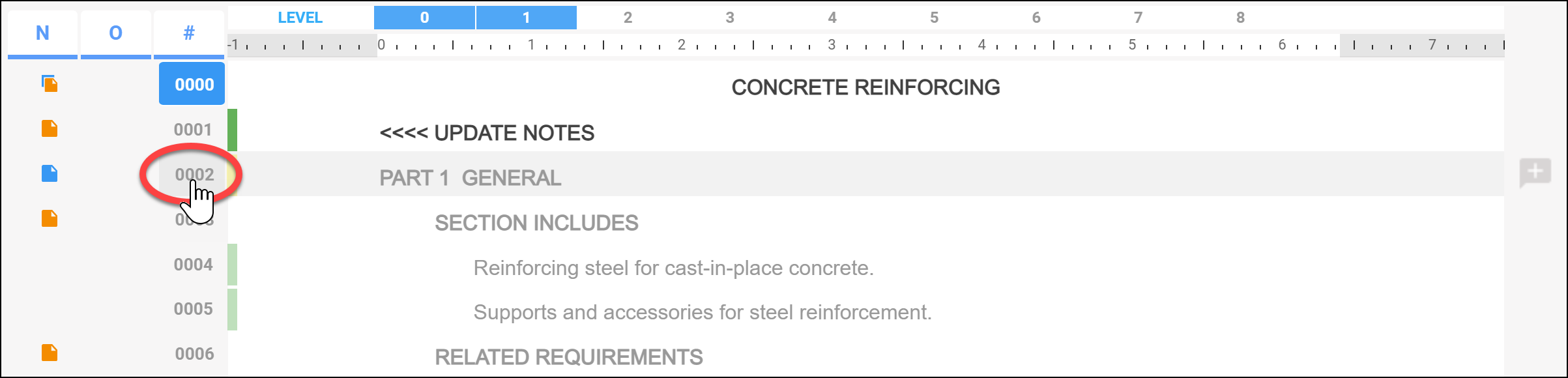
The next image displays the Concrete Reinforcing section. This section has been activated because the sequence number "0000" has been selected (it is blue with white numbers). Note the cursor hovering over the sequence number "0002".
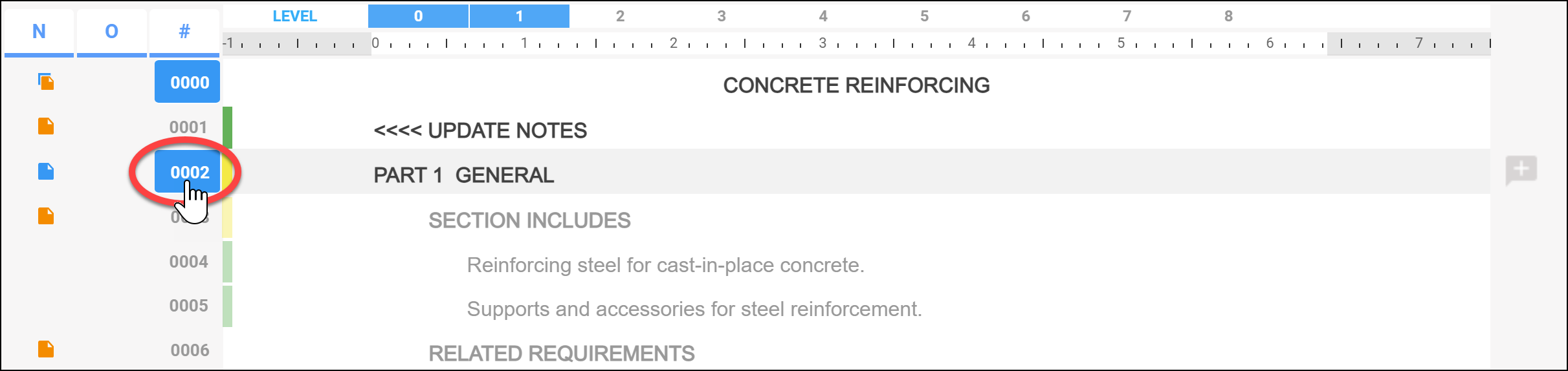
When the sequence number "0002" is selected, the paragraph becomes active. The paragraph "Part 1 General" is now active in the section.
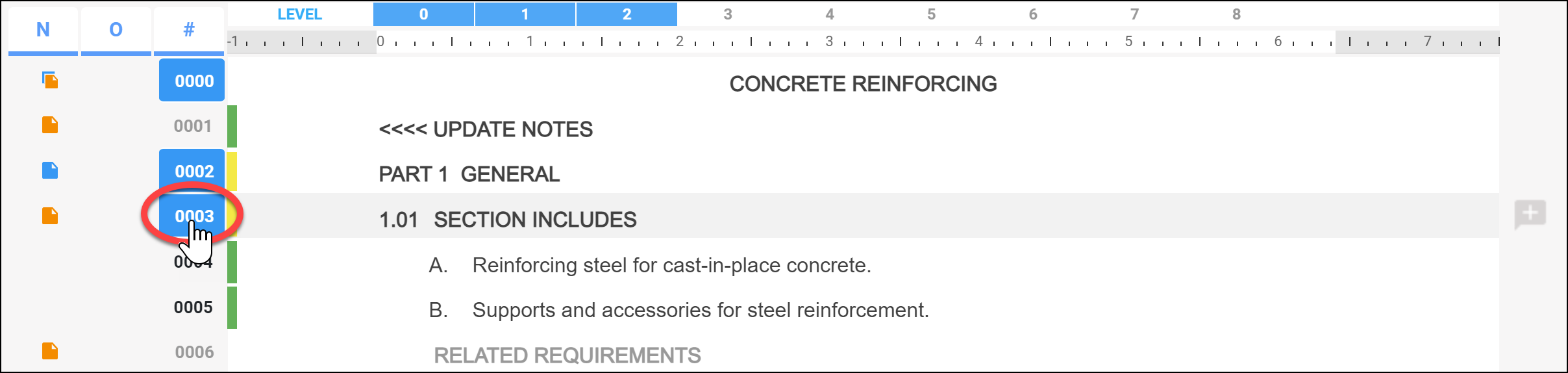
In the image below, sequence number "0003" is selected. Not only does the corresponding paragraph become active but the two paragraphs under it also become active due to the intelligent linking within SpecLink Cloud.
When activating a paragraph...
- Confirm that the section has been activated.
- Click to select the sequence number of the desired paragraph.
- Be aware of linking and how it will speed up the process of activating paragraphs.
Excluding Paragraphs
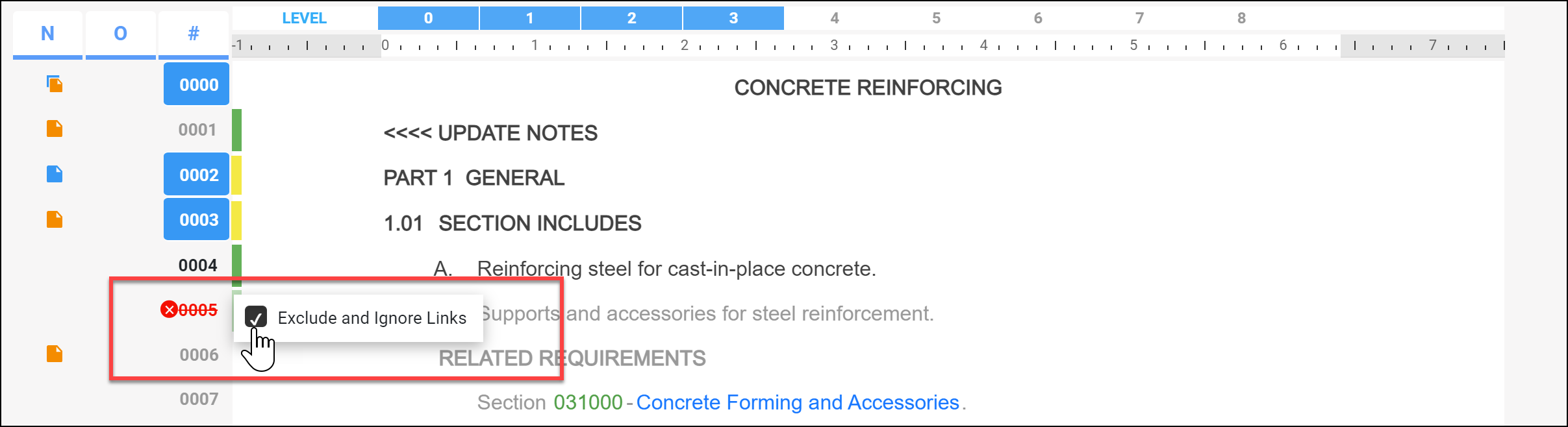
In the case where you do not want an intelligently linked paragraph to become active, right click the sequence number. The option to exclude the paragraph and links will appear for you to chose as shown below.
Watch the video below to see activating paragraphs in action:
Comments
6 comments
I have a master document with a paragraph I want to activate, but it's turned off with links excluded and ignored. I can't get it to activate. There's a community comment that others have this question, too, but it's unanswered. How do I activate this paragraph, please?
Hi Vivian,
Right click the sequence number and uncheck (deselect) the Exclude and Ignore Links option.
This will provide the ability to select the sequence, which may already be activated. Please contact Support if you run into any issues.
Thanks! -Gary Christensen
I am editing a document where most of the paragraphs are deactivated by default. Is it possible to activate all paragraphs in a single action rather than select each paragraph individually?
Hi Nashville!,
Paragraphs are activated one at a time due to the database nature of the system. Most build an office master that allows for setting up sections once and reusing them with the content previously selected. If you need more info please give our Support team a call.
Thanks! - Gary Christensen
It would be useful if Speclink added an option to open the entire section as well as the current method. This is one of the most frustrating things....
Hi Ashley,
When you have a moment, please reach out to our Support team. Currently when you access a section, you should be looking at the entire section unless you are limited by your subscription access.
Thanks, Gary Christensen
Article is closed for comments.