

Overview
SpecLink Cloud allows for the creation of a Submittals report (.PDF/.DOCX) as well as a Submittals log (.XLSX).
- The Submittals Report is a PDF or MS Word export that lists sections activated in the project that include Product Data, Shop Drawings, or Samples.
- The Submittals Log is an MS Excel export that provides greater detail to the Submittals report.
This article will cover the following topics:
Generating the Submittals Report (.PDF/.DOCX):
Follow the steps below to generate the Submittals report:
- From within a section, click the Reporting icon in the SpecLink Cloud toolbar.
The Reporting menu will appear. - From the "Select Report" drop down menu, select Submittals.
- Click Export and select PDF or Word.
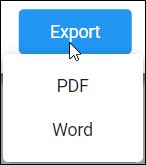
- Alternatively you can select Print which will open a PDF in another browser tab allowing you to print or save from there.

Your choice of file type will be created and automatically downloaded to your Downloads folder.
Your browser may handle downloads differently so if you have any issues downloading files from the internet, please check with your systems administrator.
Generating the Submittals Log (.XLSX):
Follow the steps below to generate the Submittals log:
- From within a section, click the Reporting icon in the SpecLink Cloud toolbar.
The Reporting menu will appear: - From the "Select Report" drop down menu, select Submittals Log.
- Select the option of including untagged subparagraphs if necessary. This selection includes any subparagraphs included in the branch that are not tagged. Learn more about report tags here.
- Click Export.

An Excel spreadsheet (.XLSX) file will be automatically downloaded to your Downloads folder.
Your browser may handle downloads differently so if you have any issues downloading files from the internet, please check with your systems administrator.
Watch the video below to see the steps of generating the Submittals Report and Submittals Log in SpecLink Cloud.
Learn More:
- Generating Reports in SpecLink Cloud - Video
- Generating Individual Tag Reports - Video
- Generating the Comments Report - Video
Comments
2 comments
Would it be possible to create a column in the submittal log that lists the paragraph number? At this time, only the sequence number is listed. The sequence number is meaningless to the Owner and Contractor as they will not have access to the online SpecLink document. I need the paragraph numbers to insert into a spread sheet template for the Pennsylvania Department of General Services.
Robert Loftin
rlloftin@transystems.com
Thank you for contacting RIB Support. A support ticket has been created for this feature request,
Article is closed for comments.